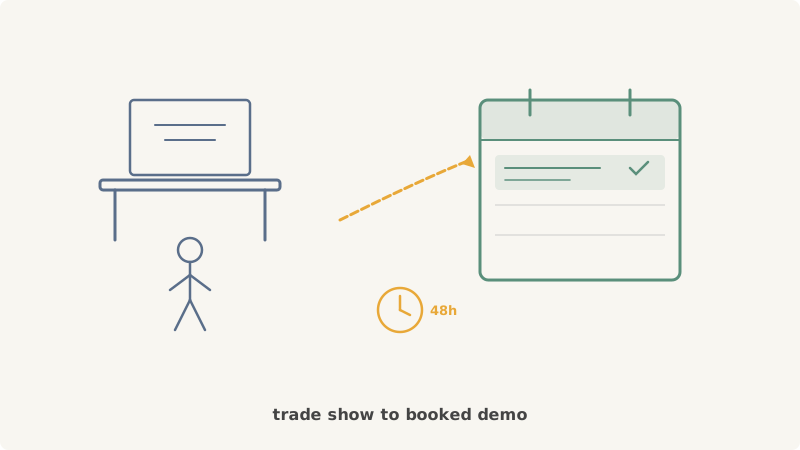
Your team just spent $30,000 on a trade show booth. The scanners collected 400 badge scans. Sales reps came home with a stack of business cards and a spreadsheet of “hot leads.” And then, nothing. Two weeks later, fewer than 20 of those leads have turned into booked meetings. The rest went cold.
This is the story at almost every B2B company that invests in events. The problem is not the leads. The problem is the follow-up method. Most teams send a templated email blast the Monday after the show, drop leads into a nurture sequence, and hope for replies. But every other exhibitor at that event is doing the same thing. Your follow-up email lands in an inbox alongside 50 other vendor emails, all with subject lines that read “Great meeting you at [Conference Name]!”
Calendar invites change the math entirely. Instead of competing for attention in a crowded inbox, a calendar invite places your meeting directly on the prospect’s schedule. It cuts through the post-event inbox pile-up and creates a concrete commitment. When done well, calendar-based follow-up after events can increase your demo booking rate by 3-5x compared to email-only sequences.
Why Event Leads Decay So Fast
Understanding the decay curve helps explain why speed and channel selection matter.
Hour 0-24 after the event: The prospect remembers your conversation. They are still in “event mode,” mentally open to follow-ups. Response rates to any outreach are at their peak.
Hour 24-72: Memory fades. The prospect is back at their desk, catching up on everything they missed. Your booth conversation blends with a dozen others. They may still respond if prompted, but the urgency is gone.
Day 4-14: The prospect has fully re-entered their daily workflow. Your conversation is a vague memory. Follow-up emails from vendors feel like spam. The mental connection between “I had a good conversation at the booth” and “I should take a demo” has broken.
Day 14+: The lead is effectively cold. You are now running a standard cold outreach play, except you have the thin advantage of a prior interaction they may or may not recall.
The window for high-conversion follow-up is 48 hours. Every hour after that, your conversion rate drops. The follow-up method you choose needs to be fast, direct, and impossible to ignore. That is where calendar invites come in.
The Calendar Invite Advantage for Event Follow-Up
Email follow-ups after events fail for three reasons:
-
Inbox competition: Every vendor at the event is emailing the same people at the same time. Open rates for post-event email blasts sit around 15-20%, and reply rates are typically under 3%.
-
No commitment mechanism: An email asks the prospect to take multiple steps: open the email, read it, decide to reply, find a time, and respond. Each step is a drop-off point.
-
Easy to defer: “I will reply to this later” is the most common response to a follow-up email. And “later” usually means “never.”
Calendar invites solve all three problems:
- They stand out: A calendar invite appears as a calendar event, not just another email. It shows up on the prospect’s schedule, which they check multiple times per day.
- They create a default commitment: The meeting is already on the calendar. The prospect has to actively decline rather than passively ignore.
- They reduce friction: There is no need to find a mutually available time. You propose a time, and the prospect either accepts or suggests an alternative.
Tools like Kali make this process scalable by letting you send personalized calendar invites to entire lead lists without manually creating each event. This is especially valuable after events, where speed matters and you may have hundreds of leads to contact within 48 hours.
Step-by-Step: Calendar Follow-Up After an Event
Step 1: Segment Your Event Leads Immediately
Before you leave the event (or the morning after at the latest), segment your leads into three tiers:
Tier 1 - Hot: Prospects who expressed clear interest, asked about pricing, or requested a demo at the booth. These get same-day calendar invites.
Tier 2 - Warm: Prospects who had a genuine conversation, fit your ICP, but did not explicitly ask for a next step. These get next-day calendar invites.
Tier 3 - Scanned: Badge scans or brief interactions with minimal conversation. These get a calendar invite within 72 hours, with a softer approach.
Step 2: Validate Your Contact Data
Event lead data is notoriously messy. Badge scans pull company email addresses that may be distribution lists. Business cards have personal emails that might not match LinkedIn profiles. Handwritten notes lead to typos in email addresses.
Before sending calendar invites, run your lead list through a validation tool like Scrubby to verify that the email addresses are deliverable. Sending calendar invites to invalid addresses hurts your domain reputation and wastes the tight follow-up window. Scrubby specializes in validating catch-all and risky emails, which is exactly the type of data you get from event badge scans where corporate domains often have catch-all configurations.
Step 3: Craft Your Calendar Invite (Not a Generic “Follow Up”)
The calendar invite title and description are everything. A generic title like “Follow-up from [Event]” will get declined. A specific, value-driven title gets accepted.
Title formula: [Specific Topic] - [Your Name] + [Their Name]
Examples:
- “Outbound Scaling for 8-Rep Teams - Sarah + Mike”
- “Reducing Bounce Rates at Scale - Kali Team + DataCorp”
- “Multi-Channel Sequencing Walkthrough - Jake + Lisa”
Description structure:
Context: Great conversation at [Event] about [specific topic you discussed]. You mentioned [specific detail from your conversation].
What we will cover:
- [Specific value point related to their situation]
- [Quick walkthrough or demo of relevant capability]
- [Answer to a question they raised, or a relevant case study]
Time: 15 minutes. If we cover everything sooner, we will wrap up early.
Need to move this? Just drag it to a better time or decline and I will send a new option.
The key is specificity. Reference the actual conversation you had at the booth. If you discussed their challenge with scaling outbound, say that. If they asked about deliverability, reference it. The more specific your calendar invite, the more it feels like a continuation of a real conversation rather than an automated blast.
Step 4: Time Your Sends Strategically
For Tier 1 leads, send calendar invites the same day the event ends, ideally within hours. Propose a meeting time 3-5 business days out. This gives the prospect time to get back to the office and settle in, while the calendar invite arrives while the event is still fresh.
For Tier 2 leads, send the morning after the event ends. Propose meeting times 4-7 business days out.
For Tier 3 leads, send within 72 hours. Propose meeting times 5-10 business days out and use a softer description that focuses on sharing a relevant resource rather than a hard demo pitch.
Pro tip: Avoid proposing Monday morning or Friday afternoon slots. Tuesday through Thursday between 10 AM and 2 PM in the prospect’s time zone consistently produces the highest acceptance rates.
Step 5: Build a Multi-Touch Sequence Around the Calendar Invite
A calendar invite should not be your only touchpoint. Build a sequence that reinforces the invite:
Day 0: Send the calendar invite.
Day 1: Connect on LinkedIn with a short note referencing the event. No pitch, just “Good to meet you at [Event]. Sent over a calendar invite for that conversation about [topic].”
Day 3: If no response to the calendar invite, send a brief email with one piece of relevant content (a case study, a blog post, a data point) and a soft reference to the pending invite.
Day 5: If still no response, move the calendar invite to a new time slot. This triggers a fresh notification on their calendar.
Day 7: Final email with a direct question: “Is [topic] still a priority for Q3? Happy to reschedule to a time that works better.”
This multi-touch approach works because each channel reinforces the others. The calendar invite is the anchor. The LinkedIn touch and emails provide social proof and additional context. Using a platform like Vendisys to orchestrate multi-channel sequences ensures nothing falls through the cracks when you are working through hundreds of event leads simultaneously.
What to Put in the Meeting Itself
Getting the meeting booked is only half the battle. The meeting itself needs to be different from your standard cold demo. Event leads have a prior interaction with your brand, and the meeting should build on that context.
Open with the Event Connection (30 Seconds)
“Thanks for taking the time. We had a great conversation at [Event] about [topic]. You mentioned [specific challenge], and I wanted to dig into that and show you how we approach it.”
This immediately differentiates the meeting from a cold call. It tells the prospect you were paying attention and that this meeting is relevant to their actual needs.
Focus on Their Stated Problem (10 Minutes)
Do not run your standard demo script. Address the specific problem or question they raised at the event. If they asked about deliverability, show them deliverability features. If they were curious about multi-channel outreach, walk them through that workflow. Keep it tight and relevant.
Bridge to Next Steps (5 Minutes)
If there is interest, propose a next step immediately: a deeper technical demo, an introduction to their team, or a trial setup. Do not end with “I will send you some materials.” End with a specific next action and a specific date.
Measuring Success: Event Follow-Up Metrics
Track these metrics separately from your standard outbound campaigns:
Calendar Invite Acceptance Rate: Target 25-40% for Tier 1 leads, 15-25% for Tier 2, and 8-15% for Tier 3. If you are below these benchmarks, your invite titles and descriptions need work.
Show Rate: Target 75-85% for event follow-up meetings. Event leads have higher show rates than cold leads because they have a prior interaction. If your show rate is below 70%, revisit your invite descriptions and your pre-meeting touch sequence.
Meeting-to-Opportunity Rate: Target 35-50%. Event leads should convert to opportunities at a higher rate than cold leads because they self-selected by visiting your booth.
Speed to First Meeting: Track the average number of days between badge scan and first meeting. The best teams get Tier 1 leads into meetings within 5 business days of the event.
Cost per Meeting: Divide your total event cost (booth, travel, materials, badges) by the number of meetings booked. This gives you a true comparison against other pipeline generation channels. Most teams discover that events are either their most expensive or most efficient channel depending entirely on their follow-up execution.
Common Mistakes to Avoid
Waiting Until Monday to Follow Up
If the event ends on Thursday, following up on Monday means you have already lost three days. Your competitors who sent calendar invites on Thursday evening are already booked on the prospect’s calendar. Follow up the same day the event ends, even if it is a Friday.
Sending the Same Invite to Everyone
A CMO and a Sales Director may have visited the same booth, but they care about different things. Customize your calendar invite title and description based on the prospect’s role and the conversation you had. If you did not have a meaningful conversation (Tier 3 leads), customize based on role and company research.
Proposing Too Many Time Options
Do not send a scheduling link with 40 available slots. That puts the decision burden on the prospect. Instead, propose one specific time in your calendar invite. If they cannot make it, they will suggest an alternative. One strong proposal converts better than infinite optionality.
Neglecting Data Quality
Sending calendar invites to invalid or outdated email addresses does more than waste your follow-up window. It damages your sending reputation, which affects the deliverability of every future invite you send. Email validation is not optional when you are working with event data. Tools like Scrubby can validate your list in minutes, catching invalid and risky addresses before they cause bounce-backs that harm your domain.
Skipping the Post-Event Debrief
Before you start sending calendar invites, spend 30 minutes with your team categorizing leads and writing down conversation notes. The details you remember the evening after the event will be gone by Monday. Those details are what make your calendar invites personal and effective.
Scaling Event Follow-Up Across Multiple Events
If your team attends multiple events per quarter, you need a repeatable system, not a scramble after each show.
Pre-event: Build your calendar invite templates (by persona and tier) before the event. Set up your validation and sending tools so everything is ready to go the moment leads come in.
During the event: Use a shared note-taking system so every rep captures conversation details in a consistent format. The minimum viable note is: name, company, role, what they asked about, and their level of interest.
Post-event: Run leads through validation, segment into tiers, merge conversation notes with lead data, and trigger calendar invite sequences. If your response time target is 24 hours for Tier 1 leads, you need this process to take less than two hours.
Post-campaign: Analyze results and refine templates. Which invite titles got the highest acceptance rates? Which descriptions produced the best show rates? Feed these insights back into your templates for the next event.
Using tools like CAM to manage your event follow-up campaigns lets you track performance across multiple events and identify which events generate the highest-quality pipeline, not just the most badge scans.
The ROI of Getting This Right
Consider the numbers. A typical B2B company spends $25,000-$50,000 per trade show (booth, travel, materials, sponsorship). They collect 200-500 leads. With standard email follow-up, they book meetings with 3-5% of those leads, producing 10-25 meetings per event.
With calendar invite follow-up using the approach outlined here, teams consistently book meetings with 12-20% of event leads, producing 30-80 meetings per event. At the same event cost, that is a 3-4x improvement in cost per meeting.
The math is even more compelling when you factor in deal size. Event leads tend to be more senior and more qualified than inbound or cold outbound leads. They have self-selected by attending a relevant industry event and visiting your booth. When these leads convert, they often produce larger deals.
The difference between a $3,000 cost per meeting and a $1,000 cost per meeting is not incremental. It is the difference between events being a budget drain and events being your most efficient pipeline channel. And the primary driver of that difference is not the booth size, the swag, or the speaking slot. It is what happens in the 48 hours after the event ends.
Calendar invites are the fastest, most direct way to convert an event conversation into a booked demo. They cut through inbox noise, create default commitments, and compress the time between “nice to meet you” and “let me show you how this works.” If your team is investing in events, the follow-up method deserves at least as much attention as the booth design.