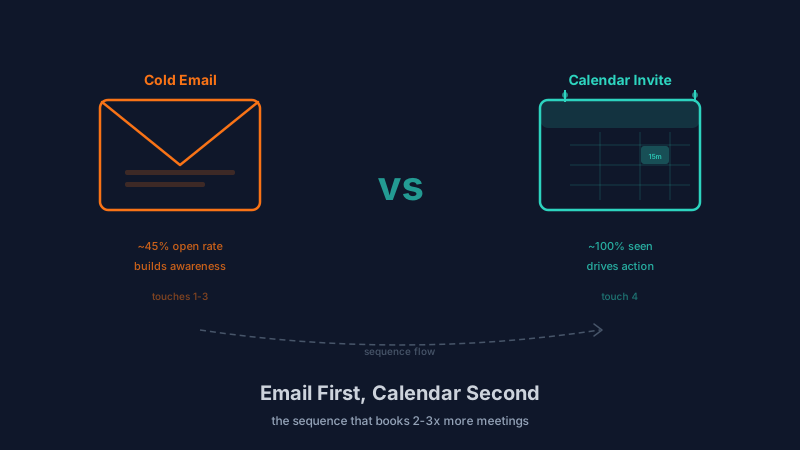
There are two types of outbound teams right now. The first type sends cold emails exclusively, follows up four or five times, gets a 1-2% reply rate, and calls it a day. The second type has figured out that cold calendar invites exist as an outreach channel and is booking meetings at 2-3x the rate of email-only teams.
But here is the thing most people get wrong about calendar invites: they are not a replacement for cold email. They are a different tool for a different moment in the sequence. Using a calendar invite at the wrong time, or without the right context, will get you blocked faster than a bad cold email ever would.
The teams that are booking the most meetings right now are the ones who understand exactly when to use each channel and how to sequence them together. That is what this guide covers.
Why Cold Calendar Invites Work Differently Than Cold Email
A cold email lands in an inbox alongside dozens or hundreds of other messages. The recipient scans subject lines, decides what to open, and mentally categorizes your message alongside newsletters, internal communications, and other sales emails. Even a well-crafted cold email is competing for attention in a crowded channel.
A calendar invite lands in a completely different context. It appears as a notification on the recipient’s phone. It shows up as a pending event in their calendar application. Most calendar apps surface invite notifications with higher urgency than email notifications because calendar events imply a time commitment from someone the user might know.
This difference in delivery context is what makes calendar invites powerful, and also what makes them dangerous to misuse.
The attention advantage is real. Calendar invites have significantly higher view rates than cold emails. A well-targeted cold email might achieve 40-60% open rates. A calendar invite is seen by nearly 100% of recipients because calendar notifications land on the calendar, not just the inbox. The prospect has to actively dismiss the invite rather than passively ignoring an email.
The implied commitment creates urgency. When someone sees a calendar event with their name on it and a specific date and time, it triggers a different psychological response than an email asking “would you be interested in a call?” The invite implies that the meeting is already being arranged, which creates a mild social pressure to respond one way or another rather than simply ignoring it.
But the intrusion factor is also real. Precisely because calendar invites surface more prominently than a regular email, recipients who feel the invite was inappropriate react more negatively than they would to an unwanted email. An unwanted cold email gets deleted. An unwanted calendar invite feels like someone walked into your office and sat down without being invited. The negative reaction is stronger.
When to Lead With Cold Email
Cold email should be your first touch in almost every outbound sequence. Here is why.
First contact establishes context. Your initial outreach needs to introduce who you are, why you are reaching out, and what value you can provide. Email is the right format for this because it gives you space to make a case without forcing an immediate response. A calendar invite as a first touch provides none of this context and feels presumptuous.
Email allows passive engagement. A recipient who is mildly interested can read your email, visit your website, check your LinkedIn profile, and form an impression before deciding whether to respond. This passive evaluation phase is important for B2B decision-makers who do not engage with every outreach attempt immediately. Calendar invites skip this phase entirely and demand an active response.
Email builds familiarity before escalation. When a prospect has seen your name in their inbox two or three times, a subsequent calendar invite feels less intrusive. You have established enough familiarity that the invite feels like a natural next step rather than an invasion.
Use cold email as your first touch when:
- The prospect has never heard of you or your company
- You are reaching out to a new account with no prior relationship
- The prospect is a senior executive who receives high volumes of outreach
- Your value proposition requires explanation before a meeting makes sense
- You are targeting a competitive market where trust needs to be established first
When to Switch to Calendar Invites
Calendar invites work best as a mid-sequence or late-sequence tactic after email has established initial awareness. The specific moments where a calendar invite outperforms another email follow-up are:
After 2-3 emails with no response. If your emails have been opened but not replied to, the prospect has some awareness of you but has not been motivated to act. A calendar invite changes the channel and creates a different kind of urgency. It signals that you are serious about connecting and willing to take initiative.
When targeting mid-level decision-makers. Directors, managers, and team leads are often receptive to calendar invites because their calendars are actively managed and they are accustomed to receiving meeting requests from people they do not know well (vendors, cross-functional teams, new hires). A calendar invite fits naturally into their workflow.
For time-sensitive offers or events. If your outreach is tied to a specific date (a product launch, a limited promotion, an upcoming conference), a calendar invite creates a concrete time anchor that email cannot replicate. The event sits in their calendar as a visual reminder even if they have not accepted it.
After a trigger event. If the prospect’s company just raised funding, launched a new product, posted a relevant job opening, or made a public statement related to your offering, a calendar invite capitalizes on the timeliness. The trigger event provides the context that makes the invite feel relevant rather than random.
The Optimal Sequence: Email First, Calendar Second
Here is the sequence structure that consistently produces the highest meeting-booked rates for outbound teams:
Day 1: Cold email (introduction). Clear subject line. Brief value proposition tied to a specific problem. No calendar link or meeting ask in the first email. The goal is to introduce yourself and create awareness.
Day 3: Cold email (follow-up with value). Share a relevant insight, case study, or data point. This email provides value rather than just asking for time. Still no hard meeting ask.
Day 6: Cold email (direct ask). Now ask for the meeting. Include a specific time suggestion (“Do you have 15 minutes Thursday afternoon?”) but do not send a calendar invite yet. If they reply, great. If not, you have built three touches of familiarity.
Day 9: Calendar invite. This is where Kali changes the game. Send a personalized calendar invite for a specific date and time. The invite description should reference your previous emails (“I reached out earlier about [topic]”) and keep the ask lightweight (“15-minute intro to see if this is relevant”). Because you have already established context through email, the invite feels like a natural progression rather than an intrusion.
Day 12: Cold email (final follow-up). One more email referencing the calendar invite. “I sent over a calendar invite for Thursday — if that time does not work, happy to adjust.” This gives the prospect an easy on-ramp to engage.
This five-touch sequence across two channels consistently outperforms email-only sequences by 2-3x on reply rates and meeting-booked rates.
Common Mistakes That Kill Calendar Invite Outreach
Sending calendar invites as the first touch. This is the most common mistake. Without any prior context, a calendar invite from a stranger feels invasive. The prospect does not know who you are, why you are reaching out, or what the meeting is about. Most will decline immediately and some will block you.
Using generic invite descriptions. “Quick sync” or “Intro call” tells the prospect nothing. Your invite description should include a one-sentence explanation of why this meeting is worth their time, personalized to their situation. If your invite description could apply to any prospect, it is too generic.
Picking bad times. Sending a calendar invite for 8 AM Monday or 5 PM Friday signals that you do not respect the prospect’s time. Choose mid-week, mid-day slots. Check the prospect’s timezone. If you are using Kali to send invites at scale, the platform handles timezone detection and optimal send-time selection automatically.
Not validating your prospect list. If you are sending calendar invites to email addresses that bounce, calendar providers will notice. Repeated failed invites to invalid addresses can affect your calendar account reputation just like email bounces affect sender reputation. Before any outbound campaign, validate your prospect list. Use Scrubby to verify catch-all addresses that standard tools cannot resolve.
Sending too many invites from one account. Calendar providers monitor invite volume. If you send 200 calendar invites in a day from a single Google Workspace account, you risk getting rate-limited or flagged. Distribute sends across multiple calendar accounts and warm up new accounts gradually, the same way you would warm up email sending domains.
Measuring What Works
Track these metrics separately for email touches and calendar invite touches:
- Reply rate by channel: Are prospects more likely to respond to your emails or your calendar invites? This tells you where to invest more effort.
- Meeting-booked rate by sequence position: Which touch in your sequence generates the most booked meetings? This tells you whether your timing is right.
- Decline rate vs ignore rate on invites: A high decline rate means prospects are seeing your invites but rejecting them, which is a messaging or targeting problem. A high ignore rate means the invite is not compelling enough to warrant any response.
- Negative response rate: Track how often prospects respond negatively (“remove me,” “not interested,” “how did you get my calendar”). If this rate increases when you add calendar invites, adjust your timing or targeting.
Use CAM to monitor how competitors are reaching their prospects. If you notice competitors are heavily using one channel, differentiating with the other gives you an edge.
The Channel Is the Strategy
Cold email and cold calendar invites are not interchangeable. They serve different purposes at different moments in the buyer’s journey. Email builds awareness and establishes context. Calendar invites convert that awareness into action.
The teams booking the most meetings right now are the ones who use both channels deliberately, in the right order, with the right messaging at each stage. Start with email. Earn the right to their calendar. Then send the invite that books the meeting.