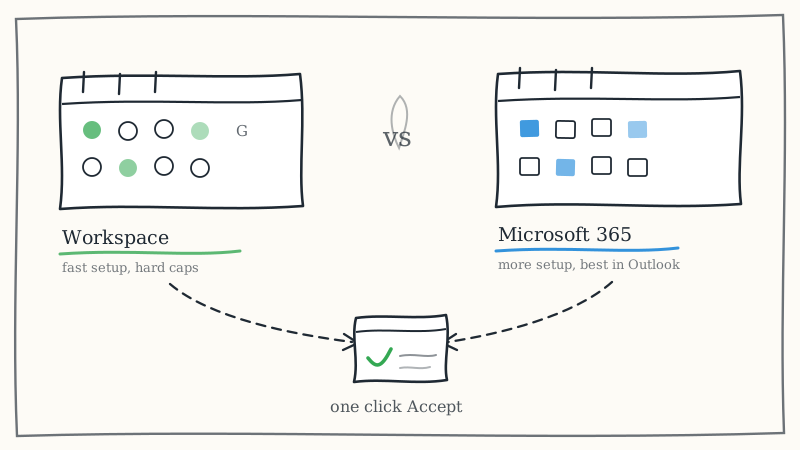
Most teams agonize over invite copy and ignore the plumbing. Then the campaign launches and half the invites arrive as a one click Accept card while the other half arrive as a mystery attachment nobody opens. The copy was identical. The sending platform was not.
Cold calendar invite outreach rides on the calendar protocol, not just the email protocol, and the two major business suites implement that protocol differently. Google Workspace and Microsoft 365 both send perfectly valid invites. They differ in how they ramp, how they authenticate, how their default admin settings treat unknown senders, and how their invites render once they cross into the other ecosystem.
This guide compares them as the sender side of a cold invite program: setup, limits, reputation behavior, cross ecosystem rendering, and the decision rules that actually matter. If you want the strategic case for the channel itself, start with what cold calendar invite outreach is and come back here for the infrastructure layer.
Why the sending platform matters more for invites than for email
A cold email is a block of text. Any provider can deliver text. A calendar invite is a structured object: an iCalendar event with an organizer, an attendee list, a time, a method field, and a sequence number. The receiving client has to recognize that object, match the organizer against its own trust rules, and decide whether to render interactive RSVP controls or fall back to a plain attachment.
That decision is influenced by the sending side in four ways:
- How the invite is packaged. Whether the event travels as a proper
text/calendarpart withMETHOD:REQUESTor as a generic.icsfile attachment. - Whether the organizer identity authenticates. SPF, DKIM, and DMARC alignment on the sending domain, which the receiving client folds into its trust score.
- How the sending domain has behaved. Volume curve, bounce rate, and complaint rate over the preceding weeks.
- How the sending tenant is configured. Default calendar sharing, external invite policies, and whether the admin has opened or closed the path for invites to people outside the organization.
Platform choice touches all four. It does not override them, but it sets the defaults you inherit on day one.
Google Workspace as the sending side
Workspace is the faster path to a working cold invite program, mostly because its defaults are permissive and its calendar implementation is forgiving.
What works well:
- Invites generated through Google Calendar arrive as native events in Gmail with Yes, Maybe, and No controls rendered directly in the message, and Gmail often slots the event tentatively onto the recipient calendar before any click. Gmail to Gmail is the cleanest path in cold invite outreach.
- DKIM setup is a short admin console task with a single selector to publish, so authentication is quick to get right.
- Admin defaults rarely block outbound invites to external addresses, which means less tenant configuration before your first send.
- Workspace surfaces bounce and delivery signals quickly enough to catch a list quality problem in the first day of a campaign rather than the first week.
Where it bites:
- Google enforces daily sending caps that vary by license tier and account age, and invites to large attendee lists count against those caps per recipient, not per event. A team that plans volume on a per event basis will hit the ceiling earlier than expected.
- New Workspace accounts are throttled hardest. Workspace treats a brand new mailbox sending to hundreds of unknown external addresses as the abuse pattern it is, so the warmup curve is real and non negotiable.
- Guest list hygiene matters. One event with many external attendees is a different trust signal than many events with one attendee each, and the first shape looks like a blast.
- Google will suspend a sending account for complaint spikes with very little warning and no graceful degradation.
Microsoft 365 as the sending side
Microsoft 365 is harder to set up and better matched to a large part of the enterprise buyer base, which makes it the more strategic option when your ICP lives in Outlook.
What works well:
- Exchange Online is the native habitat of the corporate calendar. An invite sent from a Microsoft 365 organizer into a Microsoft 365 recipient renders as a first class meeting card in the Outlook reading pane, with clean RSVP controls and correct update handling when you reschedule.
- Recipient rate allowances on business licenses are generous relative to Workspace, with a per minute throttle rather than a hard per day wall, so sustained moderate pace is easier to maintain than bursty sends.
- Microsoft’s calendar stack handles sequence numbers and reschedules reliably, so a moved meeting updates the existing event instead of spawning a duplicate. That matters more than people expect once you are rescheduling at volume.
- You get finer grained control: transport rules, connectors, and per mailbox policies let you shape outbound behavior in ways Workspace does not expose.
Where it bites:
- Tenant defaults are more restrictive, and administrator configuration (calendar sharing policy, external sharing, organization relationships) is a real project before you send anything cold.
- The protective layer in front of a recipient tenant is also the layer in front of yours, and it is more aggressive about unknown senders. Your invites get graded harder on the way in, which means your own domain authentication has to be flawless.
- DKIM and DMARC setup involves more moving parts, especially if you route through any additional tool. Every sending source needs its own record, and missing one fails silently.
- Licensing and administration overhead is higher if all you want is a fleet of sending identities.
Side by side
| Dimension | Google Workspace | Microsoft 365 |
|---|---|---|
| Time to first clean send | Short, permissive defaults | Longer, tenant configuration required |
| Authentication setup | Simple, single selector DKIM | More involved, multiple sources to cover |
| Volume model | Daily caps, counted per recipient | Recipient allowances with per minute throttle |
| Best recipient match | Gmail and Google Calendar buyers | Outlook and Exchange buyers |
| Reschedule and update handling | Good | Excellent |
| Admin control surface | Limited | Extensive |
| Failure mode | Fast suspension on complaints | Quiet filtering and stripped rendering |
| Warmup sensitivity | High on new accounts | High, with less visible feedback |
The variable that beats both: who is receiving
Here is the uncomfortable part. Your sending platform matters less than the pairing between your sending platform and your prospect’s platform.
Same ecosystem pairings render best. Google organizer to Gmail recipient gives you inline RSVP controls and automatic tentative placement. Microsoft organizer to Outlook recipient gives you the structured meeting card and reliable updates. Cross ecosystem pairings still work, but rendering degrades more often, and the degraded state is usually the one that kills acceptance: an .ics attachment with no visible Accept button.
Which means the correct question is not “Workspace or Microsoft 365” in the abstract. It is “what do my buyers use, and does my fleet match it.” Pull a sample of 200 accounts from your target list, check the MX records on their domains, and you will get a usable split in an afternoon. If 70 percent of your pipeline sits behind Microsoft MX records, sending everything from Workspace means your best accounts get your worst rendering. The reverse is equally true.
For a deeper look at how each client treats an incoming invite once it arrives, the calendar invite deliverability breakdown by client covers Gmail, Outlook, and Apple Calendar behavior in detail.
Mixed fleets, and why serious programs run them
Once you accept that pairing drives rendering, the answer stops being a single platform and becomes a fleet. Teams running cold invite outreach at volume typically operate sending identities on both suites and route by recipient MX record: Microsoft buyers get a Microsoft organizer, Google buyers get a Google organizer.
That is the right architecture and it is also a meaningful operational burden:
- Two admin surfaces, two authentication regimes, two sets of DNS records to keep aligned.
- Separate warmup curves per identity, because reputation is per domain and per mailbox, not per program.
- Routing logic that resolves each prospect’s MX record before the invite is generated.
- Per identity monitoring, since a reputation problem on one sending domain says nothing about the health of another.
- Replacement capacity, because sending identities do get retired and you cannot rebuild warmed reputation on demand.
None of this is exotic. It is just work that has nothing to do with selling, and it is the reason infrastructure decisions quietly sink cold invite programs that had perfectly good targeting and copy.
A decision framework
If you are picking one platform today:
- Your buyers are mostly on Microsoft MX records and you sell enterprise. Choose Microsoft 365. Accept the setup cost. The rendering and reschedule quality into Outlook is worth it, and enterprise calendars are where your meetings live.
- Your buyers skew startup, SMB, agency, or tech forward. Choose Google Workspace. Faster to stand up, cleaner Gmail rendering, and your buyers are mostly in that ecosystem anyway.
- Your buyer mix is genuinely split. You need both, which means you need to decide whether running sending infrastructure is a thing your team wants to own.
- You have not checked your buyers’ MX records. Do that first. Any platform decision made before that check is a guess.
Two rules apply no matter which direction you go. First, authentication is not optional: get SPF, DKIM, and DMARC aligned before the first send, because no platform choice rescues an unauthenticated organizer. The SPF, DKIM, and DMARC setup guide for calendar invites walks through the records. Second, respect the warmup curve. New identities on either suite get throttled, and pushing volume early is the fastest way to lose a domain you will need for months.
The managed alternative
There is a third option, which is to not own the sending layer at all.
KALI is a managed cold calendar invite outreach service: you provide the prospect list, and KALI handles sending account warmup, volume ramp up, and sender reputation, with no infrastructure on your side. Invites go directly to prospects’ calendars across Google Calendar and Outlook, every invite is personalized from real buying signals synced from Airtable, Clay, or Google Sheets, and AI manages follow ups for non responders plus show up reminders before each booked meeting. Acceptance rates, attendance, and meetings booked report in real time.
That is the trade: you give up the admin control surface of running your own tenants, and you stop spending engineering and sales ops time on warmup schedules, DNS alignment, and reputation triage. If your constraint is meetings per week rather than infrastructure ownership, see how it works or the calendar outreach tool overview for the full picture.
Key takeaways
- Calendar invites are structured objects, so the sending platform affects rendering in ways plain cold email never exposed.
- Google Workspace is faster to stand up with permissive defaults and clean Gmail rendering, but has hard daily caps counted per recipient and suspends fast on complaints.
- Microsoft 365 needs real tenant configuration and tighter authentication, but delivers the best rendering and reschedule behavior into Outlook and Exchange, where most enterprise buyers sit.
- The pairing between your platform and your prospect’s platform matters more than either platform alone. Check MX records on a sample of your target list before deciding.
- Serious programs run mixed fleets and route by recipient ecosystem, which works well and costs real operational effort.
- Authentication and warmup discipline are mandatory on both suites. No platform choice compensates for skipping them.